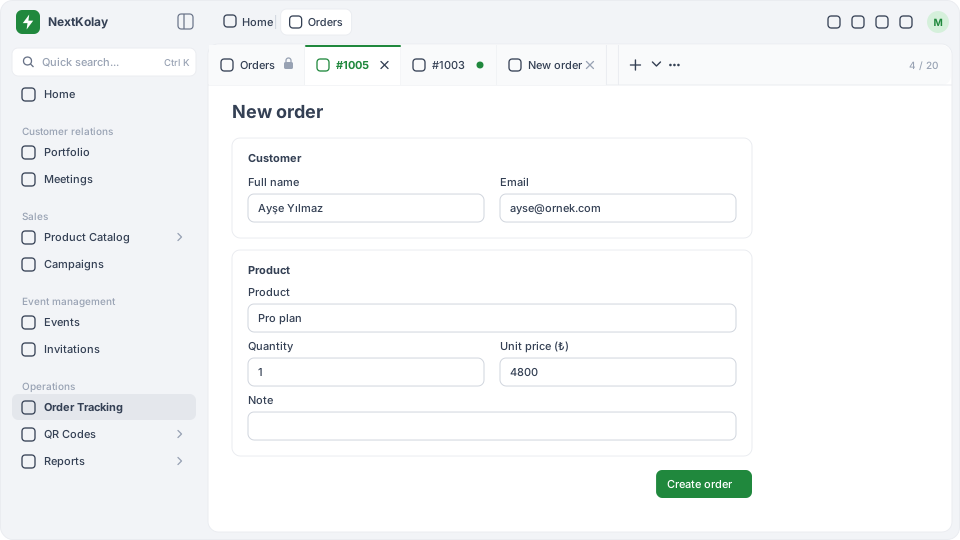
#Creating an order
- Open the form
Click New order in the order list or the + button in the tab strip. The form opens in a tab called New order; a second form is named New order 2.
- Enter the customer
In the Customer section, fill in Full name and Email.
- Enter the product
In the Product section, fill in Product, Quantity (1–999) and Unit price (₺). Optionally add a Note.
- Click Create order
If a field is missing or invalid, a message appears below it.
#Result: what happens?
- The notification “Order #1025 created.” appears.
- The form tab turns into the new order’s tab (for example #1025).
- The order appears at the top of the list with the status Pending; the amount is quantity × unit price.
Drafts are not kept
An order form you filled in but did not create does not come back after a page reload. You see an unsaved changes warning when closing the form or leaving the page.